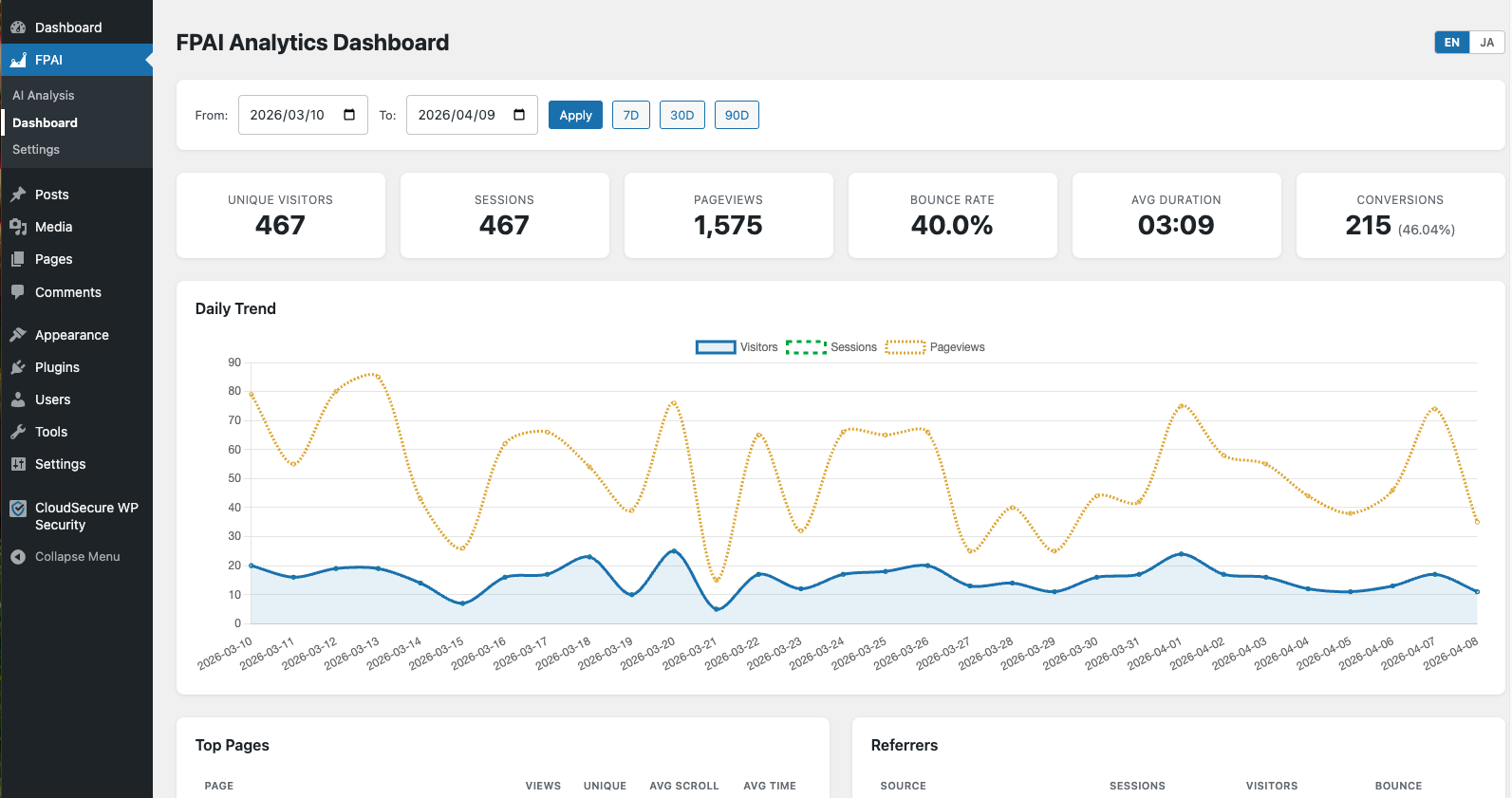
Activate the plugin and you're tracking — no Google, no tag manager, no external service. EU visitors get storage-less tracking automatically, so many sites can run without a consent banner. And you can ask any AI about your data, right from wp-admin.
The Problem
Three problems that got worse every year — and nobody fixed them properly.
Rebuilt for Google's ad business, not yours. Complex event model, confusing UI, default 2-month data retention. You spend more time configuring it than reading it.
40–60% of visitors decline cookies. Your analytics show a fraction of reality. You're making decisions based on data that's already broken before it reaches you.
Every pageview you track with GA goes to Google's servers. You're feeding their data machine, not yours. One policy change and your tracking breaks overnight.
The FPAI Way
Every session, pageview, and event is written directly to your own MySQL database. Nothing is sent to any third party for tracking — the only data that ever leaves is the summary you choose to send to your own AI provider.
No cookies, no third-party tracking, ever. With Auto mode, EU visitors are tracked with zero device storage — nothing in localStorage — so many sites can run without a cookie banner (legal review recommended). You capture close to 100% of your traffic instead of the ~60% consent banners leave behind.
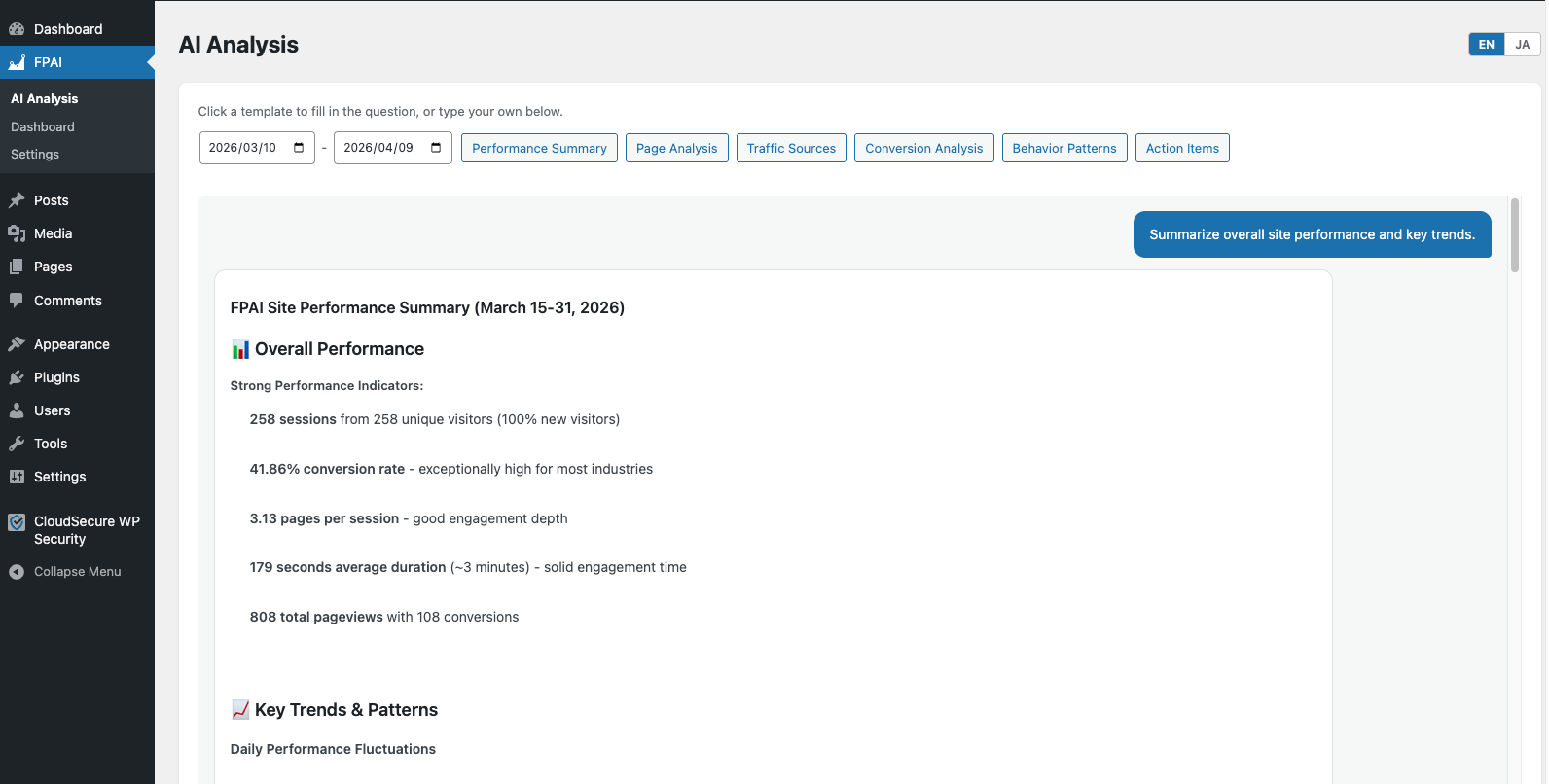
Set your API key from any supported AI provider in Settings. FPAI formats your analytics data and sends it to your AI — ask questions right from your WordPress dashboard, in plain English.
Built-in AI Analysis — Free
Set your API key from any supported AI provider in Settings — FPAI formats your analytics data and sends it to your AI. Ask questions right from your WordPress dashboard, in plain English. Available in the free version.
Features
Visitors, sessions, bounce rate, avg. duration, top pages, referrers, UTM campaigns, device breakdown.
Clicks, scroll depth, form submissions, outbound links — every user interaction captured automatically.
Define goals by URL, form submission, or click. Track CVR and revenue automatically.
Export sessions, pageviews, events, and conversions — ready to paste into any AI chat.
Plans
Full-featured analytics for any WordPress site — replaces GA4 with zero setup.
Everything in Free, plus advanced event tracking and unlimited data retention.
🎉 50% off your first payment (code LAUNCH50) is applied automatically; monthly and annual plans renew at the regular price (lifetime is one-time)
Get Started
Upload the ZIP to WordPress Plugins → Add New, or install via wp-cli.
Click Activate. FPAI creates its tables and starts tracking immediately.
Find "FPAI" in the WordPress sidebar. Your data starts flowing within seconds.
Go to Settings → AI Settings, add your API key from any of the 9 supported providers, and ask questions right in wp-admin. Prefer another AI? Export CSV/JSON and paste it anywhere.
FAQ